Posted December 20, 2025Dec 20 comment_329423 like literally you can just put anything there, either a new ride, a new restaurant, longer queue for dead beat, or just picnic benches (I propose moving bpb's skyforce to here, perfect neighbor for hyperia)
December 22, 2025Dec 22 comment_329441 I’m wondering if maybe they’ll hold out for X to finally be removed. Its plot combined with Slammer’s one is quite large.It becomes even larger if they also decided to remove the tent restaurant area, and becomes massive if they also demolish the Ghost Train building. That would leave a huge space right in the middle of the park for something big.
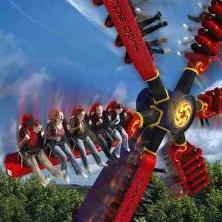
December 22, 2025Dec 22 comment_329448 2 Nebulas and an ART wild swing please. It should be government mandated that every park has these rides.
December 22, 2025Dec 22 Author comment_329449 Just now, Mark9 said:2 Nebulas and an ART wild swing please. It should be government mandated that every park has these rides.I think one wild swing would only physically fit lmao
December 22, 2025Dec 22 comment_329450 1 hour ago, Mark9 said:2 Nebulas and an ART wild swing please. It should be government mandated that every park has these rides.Get a TopSpin whilst we're at it plz.Obviously the space is a prime location for a flat ride. Thinking bigger, they could get rid of the tented food place next to it (whose name I cannot be bothered to recall) and fit in a compact, but still worthwhile, coaster.The unrealistic but awesome dream would be the fact that removing The Walking Dead, Ghost Train and the tented food place opens up a huge space for a brand new land which could have an indoor attraction, roller coaster and flat ride. Effectively it serves as like for like replacements (replacing a coaster and indoor ride with a coaster, indoor ride and a flat), but a blank slate would be best for that area. It would never happen, but in la la land, it's what I'd love to see.
December 22, 2025Dec 22 comment_329453 2 hours ago, JoshC. said:Get a TopSpin whilst we're at it plz.Closed season bingo!
December 22, 2025Dec 22 comment_329454 The talk of Ghost Train baffles me, as it's the future of theme parks.
December 22, 2025Dec 22 comment_329458 1 hour ago, MattyMoo said:The talk of Ghost Train baffles me, as it's the future of theme parks.It was the future of theme parks 10 years ago. So that means it is actually now the present of theme parks.
December 22, 2025Dec 22 comment_329459 2 hours ago, JoshC. said:It was the future of theme parks 10 years ago. So that means it is actually now the present of theme parks.Some would say it's the past of theme parks.
December 22, 2025Dec 22 comment_329466 I mean if we’re going by the original iteration, then yes. It has been passed and gone.
March 5Mar 5 comment_330180 no no no no-thing,whoooooooooo,no no no no-thing,gling, glong,no no no no-thing,gliidde,woof-woof-woof-woof-woofpiano chords,visitor beware, you're in for a scare


Join the conversation
You can post now and register later. If you have an account, sign in now to post with your account.